A: They answer questions. This AI assistant understands the interface. It works directly on the page — finding elements, highlighting them, and guiding your actions step by step.
What is it
Modern web applications are complex to navigate. FlowForge helps make interfaces easier to understand and explore.
✦ Early-stage experimental project. Expect limitations and ongoing improvements. ✦
Use cases
See how the assistant works in real scenarios.
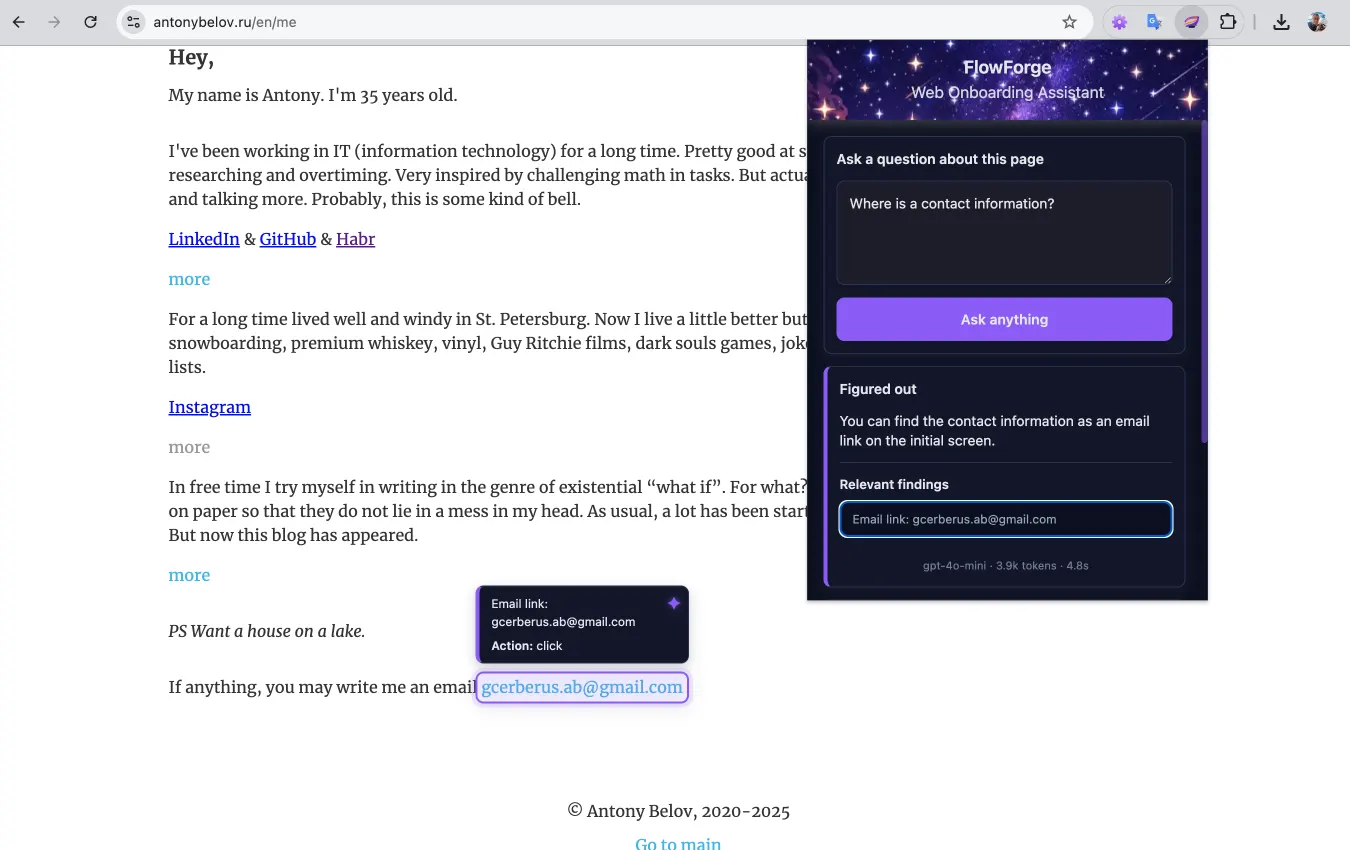
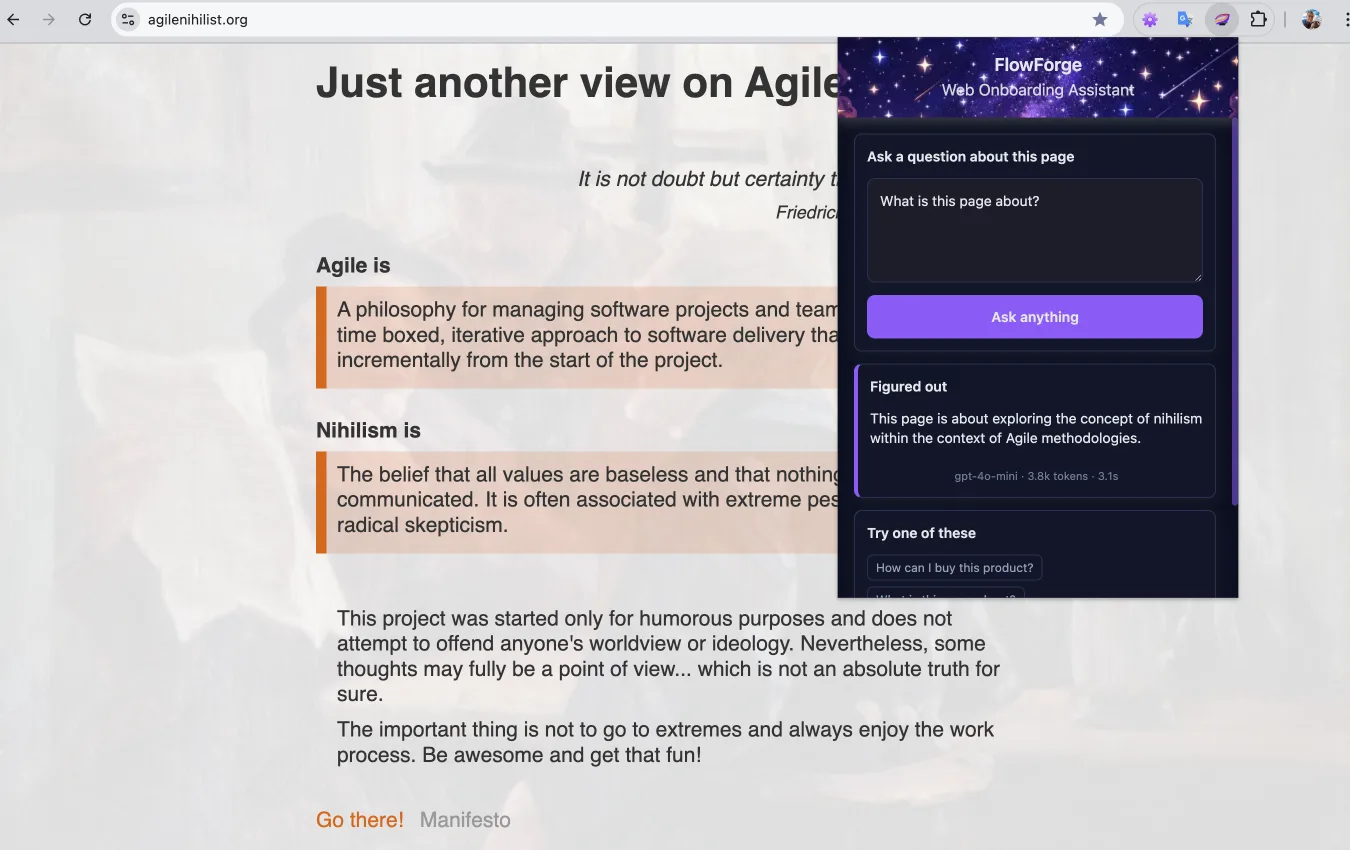
Understand any page instantly
Ask a question and get a clear explanation of what the page is about.
Quick start
Run locally in a few steps. Built with security in mind.
Via npm
Clone the repository, install dependencies, and start the project. Requires Node.js 22 or higher only.
git clone [email protected]:cerberus-ab/flowforge.git

npm i
npm start
Local via Ollama. Cloud via OpenAI API.
Chrome extension
How it works
From natural language to guided UI actions — in seconds.
Ask anything
Ask a question or describe a task in natural language — no commands, no prior product knowledge required.
Understand the UI
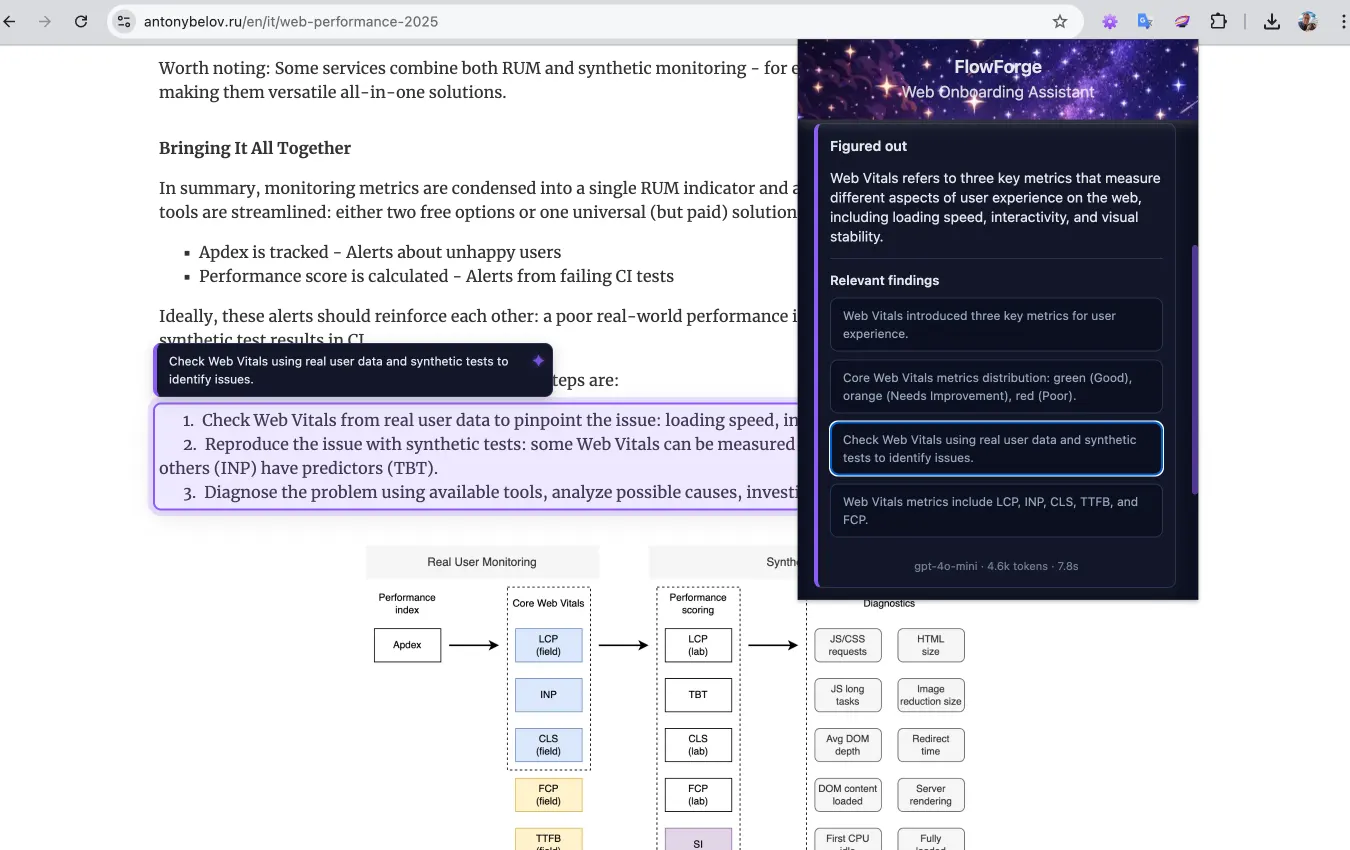
FlowForge turns the visible UI into a structured page model — capturing content, layout, and interactive elements the agent can reason about.
Reason over context
The AI agent understands your intent and the page context to identify relevant elements and guide possible actions.
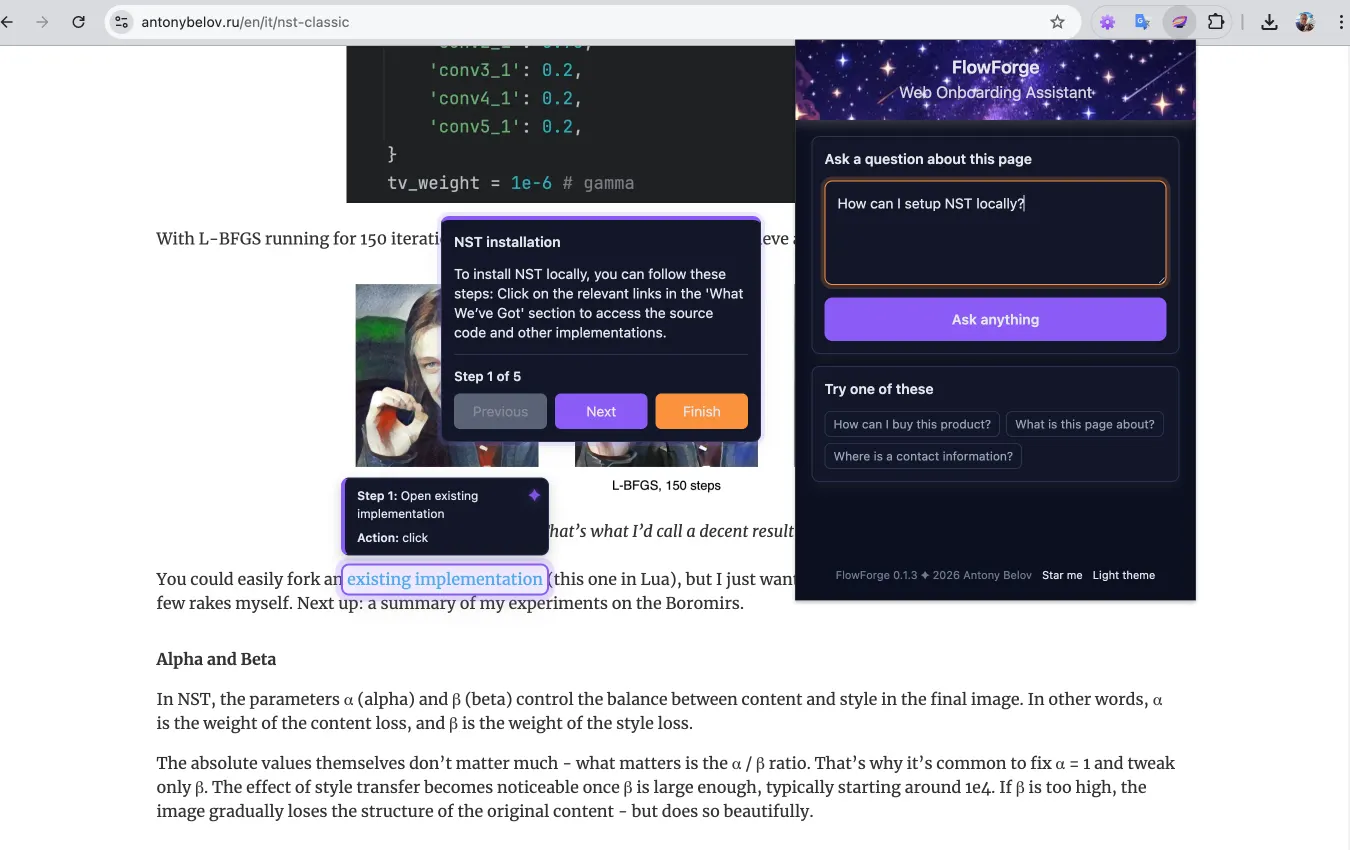
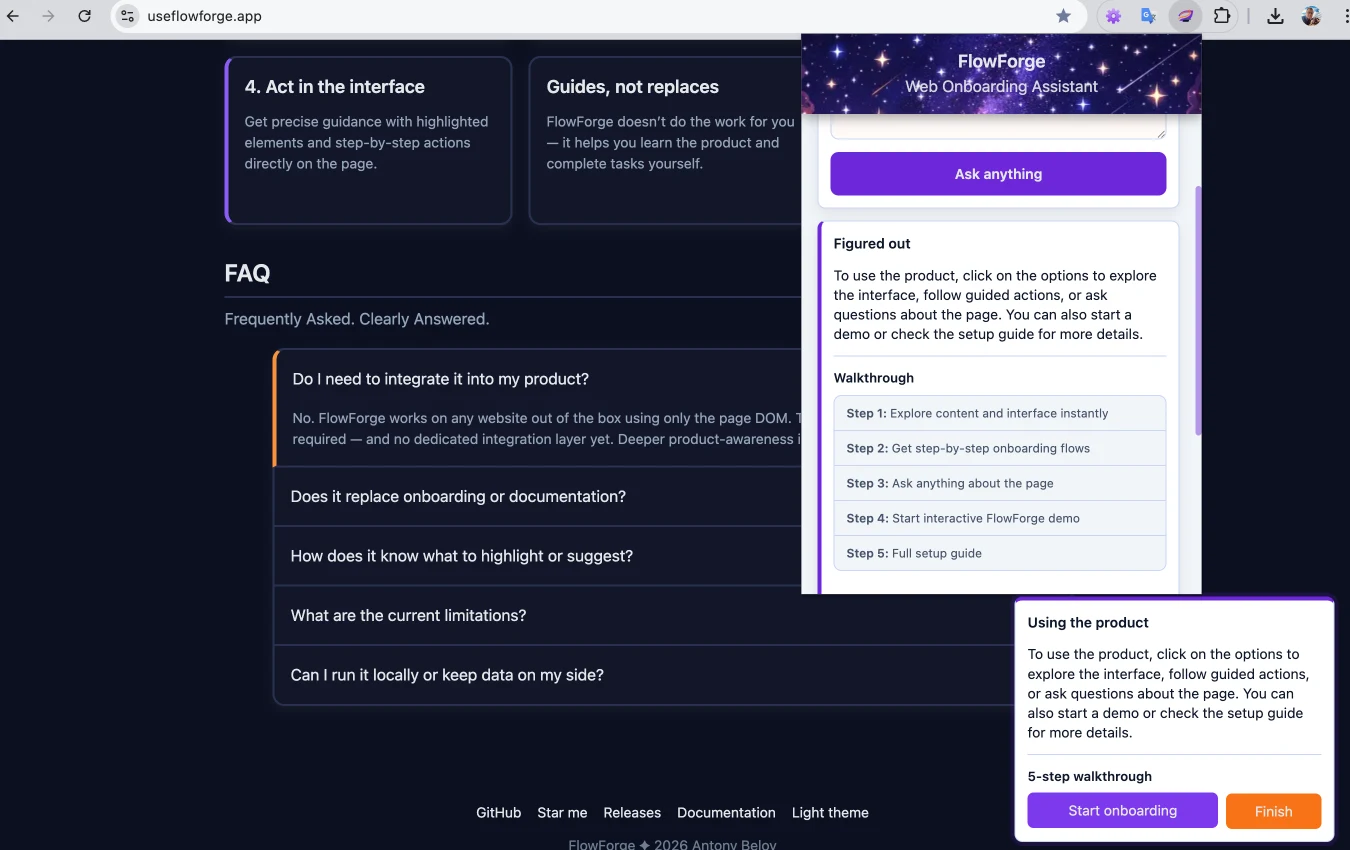
Act with guidance
The assistant provides actionable guidance directly on the page — highlighting elements and guiding you through step-by-step interactions.
Guides, not replaces
The assistant doesn’t act for you — it teaches you how to navigate the product and complete tasks yourself.
Privacy-first by design
Works on visible page data only, avoids sensitive inputs, and supports local-first setup.
Under the hood
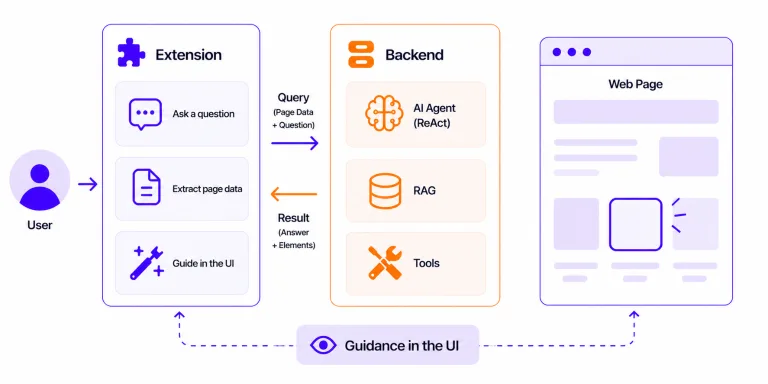
It uses a client–server architecture where an AI agent combines RAG and tools to turn page context into UI guidance.
Architecture
The extension captures page data and user intent, sends it to the backend, where the agent uses tools and RAG to return structured UI targets.
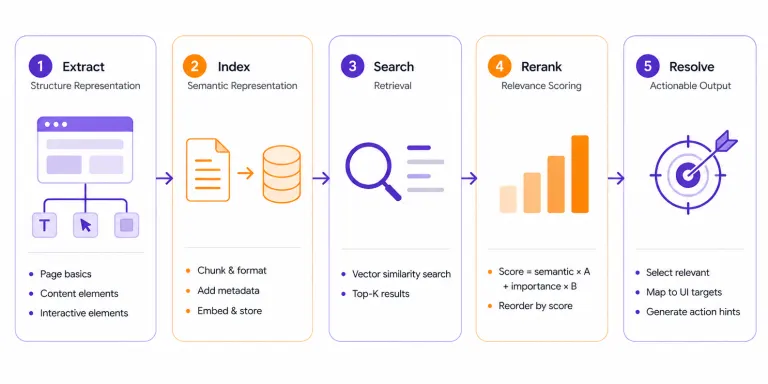
DOM → RAG pipeline
Page data is structured, transformed into documents, retrieved, reranked, and resolved into actionable elements for the agent.
FAQ
Frequently asked. Clearly answered.
A: Automation executes tasks. But this AI assistant builds understanding. It guides you through the interface step by step — so you learn how the product works, not just complete a task.
A: No. The extension works on any website out of the box using the page DOM — no integration required. It acts as an assistant for web apps directly in the browser. Optional integration can add deeper product awareness later.
A: No. The assistant complements onboarding and documentation. It provides in-context UI guidance directly on the page — helping users understand complex interfaces and complete tasks without switching tabs or reading docs.
A: It builds a structured understanding of the page — content, layout, and interactive elements — and uses semantic search to identify what matters. The AI agent maps your intent to real UI elements and guides actions directly in the interface.
A: It currently works within a single-page context and does not maintain cross-page memory. It relies on visible DOM elements and is designed as a local-first, single-user MVP. Support for more complex workflows and multi-page navigation is evolving.
A: Yes. The assistant is local-first by design. The backend, vector storage, and models can run locally, keeping your data under your control. Cloud models are optional for higher performance.